Changelog

Follow new updates and improvements to Adminflow.

Cleaner navigation: Task tabs merged
Hi everyone!

A cleaner and more streamlined experience in the customer card 🧹💜

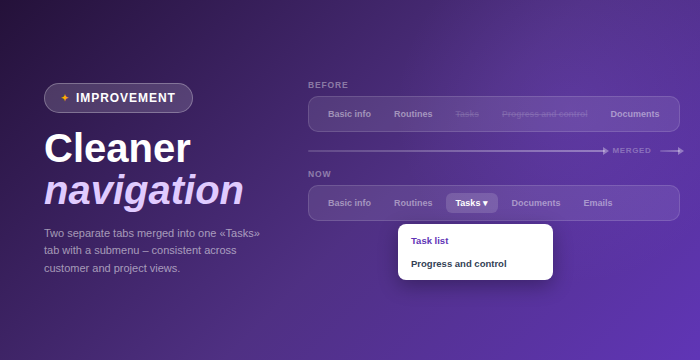
The separate "Tasks" and "Progress & Control" tabs in the customer details modal have now been merged into a single "Tasks" tab with a submenu.

• One unified Tasks tab with a submenu replaces two separate tabs

• Consistent navigation across customer and project views
Extended ownership overview in AML

Hi everyone!
We’ve made a major upgrade to the AML module, giving you much better insight into ownership structures 🧩💜

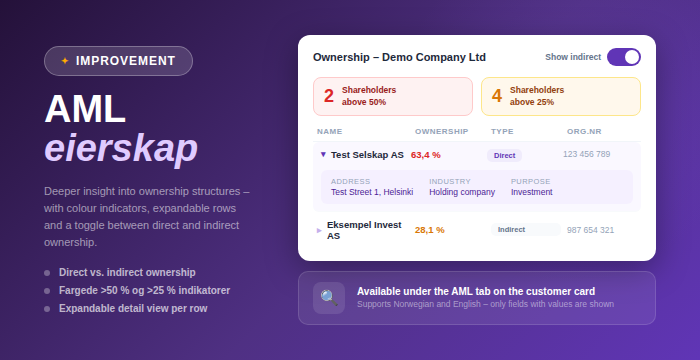
The ownership table in the AML tab on the customer card has been significantly enhanced, with more detailed information and smarter ways to explore ownership.

Added

  • Toggle between direct and indirect ownership views

  • Colored indicators showing number of shareholders above 50% and 25% ownership

  • Indicators update dynamically when switching between views

  • Expandable rows with detailed shareholder information, including address, organization number, industry, and purpose

  • For individual shareholders, date of birth and address are also displayed

Changed

  • The table now only shows fields that contain values, resulting in a cleaner and more relevant view

Improved

  • A more interactive and informative ownership overview, making it easier to understand complex structures

  • Available in both Norwegian and English

This makes AML work both more efficient and more precise, especially when working with complex ownership structures 🚀

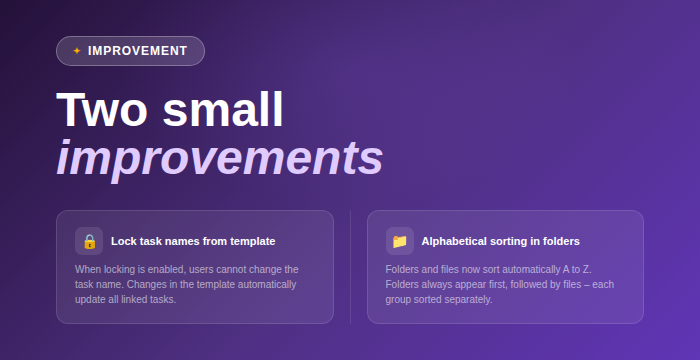
Two small improvements

Better control of task names from templates
You can now lock task names directly in task templates. When enabled, users can’t change the name of tasks created from the template. If you update the name in the template, it will automatically update across all linked tasks. When not enabled, everything works as before.

Cleaner document sorting
Content in folders is now automatically sorted alphabetically A to Z. Folders are always shown first, followed by files, and both groups are sorted individually. This makes it easier to find what you’re looking for, especially in larger folders.

Earlier updates