Changelog

Follow new updates and improvements to Adminflow.

Attachments on task templates 📎
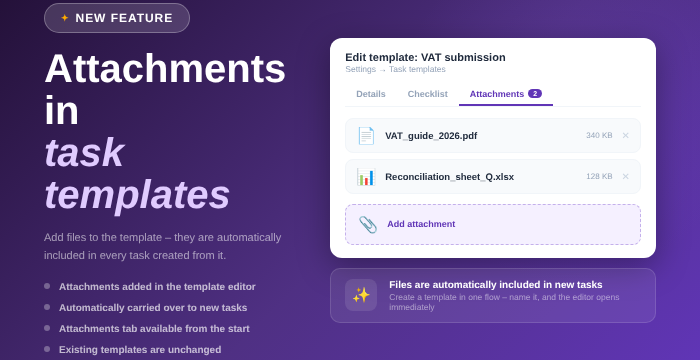
Happy Friday, everyone! 🎉 Your task templates can now have attachments, and the files follow along to every task created from the template. A nice one to get in place before the weekend. 😉

  • 📎 You add files to the template the same way you do on a regular task.
  • ✨ Creating a new task template with attachments is easier too: you give the template a name first, and it opens right away.
  • 📁 The attachments tab is available from the start, instead of appearing only after the template has been saved.
  • 💾 Uploading the files themselves still requires the template to be saved once. Adminflow lets you know if you try before that.

Existing templates are unchanged until you add attachments yourself. Have a great weekend! 🥳
Set a default assignee in the planning template

Hi everyone!
A small setting that can save you a lot of manual work 🙌💜

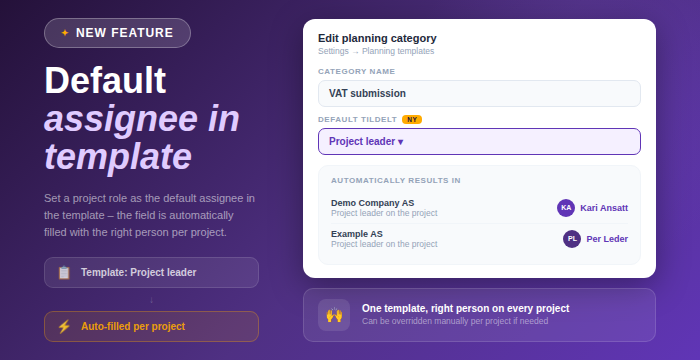
You can now set a project role as the default assignee on a planning category in the planning template. When the category is activated in the planner on a project, the Responsible field is automatically filled with the person who holds that role on that specific project.

Added

  • New field "Default assignee" in the edit dialog for planning categories (Settings → Planning templates)

  • Choose one of your firm's project roles as the default, for example Project Manager or Engagement Manager

  • When the category is activated in the planner, the Responsible field is automatically filled with the person who holds that role on that project

  • The responsible can be overridden manually per project if needed

Why is this useful?
One template can now be used across the entire portfolio, but each project gets its own person, not one fixed person across all clients. Fewer manual choices, and less risk of the field being left empty.

Earlier updates